

Introduction
If you’ve ever wondered how companies keep track of all the software running across their systems, you’re not alone. A corporate software inspector is a tool and process that helps organizations see what software they use, check if it’s safe and licensed, and fix risks before they turn into real problems. In simple terms, it inspects, monitors, and audits software across a business environment.
For U.S. companies in 2026, this matters more than ever. Software sprawl, cloud apps, remote work, and tighter compliance rules make manual tracking impossible. Therefore, businesses now rely on structured inspection tools to stay secure, compliant, and in control. This guide walks you through what a corporate software inspector does, how it works, and when you actually need one—using plain language and real examples.
What a Corporate Software Inspector Really Is
Understanding enterprise software inspection in simple terms
A corporate software inspector is not just a scanning tool. Instead, it’s part of a broader enterprise software inspection approach that helps you understand what software runs inside your organization. It looks at desktops, servers, cloud systems, and sometimes mobile devices.
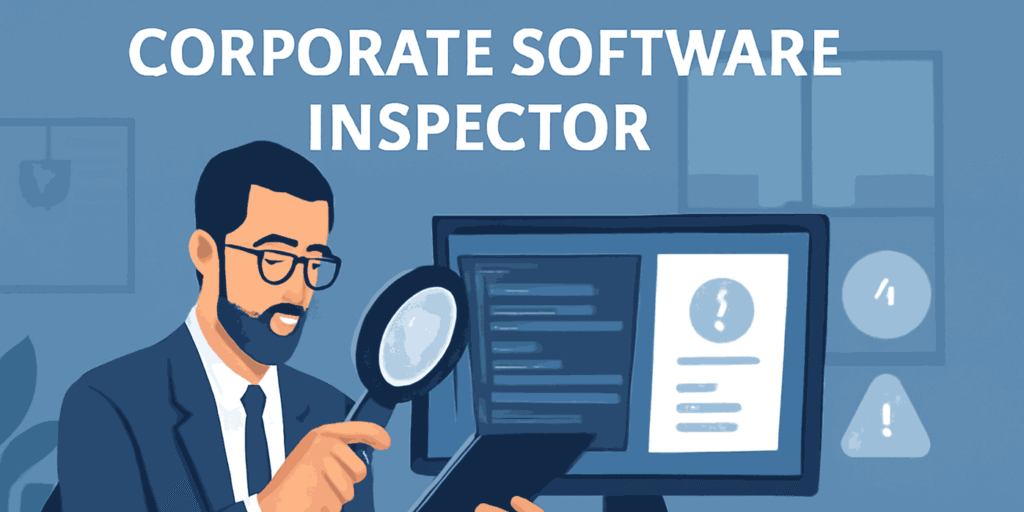
For example, imagine trying to count every app used across 500 employees. Some install tools for work, others try free software, and a few forget to update anything. A software inspector automates this job. It identifies software, versions, usage patterns, and risks, all in one place. As a result, IT teams no longer rely on guesswork.
How it fits into corporate software auditing
Corporate software auditing focuses on checking whether software use follows company rules and legal requirements. A corporate software inspector supports this by collecting accurate data. Therefore, audits become faster and far less stressful.
Instead of scrambling before an audit, you already know:
- Which software is installed
- Who uses it
- Whether licenses match usage
This approach turns audits from panic-driven events into routine checks.
Why Corporate Software Inspection Matters in 2025
The rise of business software compliance pressure
U.S. organizations face growing pressure around business software compliance. Regulations like SOC 2, HIPAA, and ISO-related standards expect clear visibility into IT environments. However, many businesses still lack a reliable way to prove compliance.
A corporate software inspector helps by creating consistent records. For example, when auditors ask how you control software access, you can show real reports instead of vague explanations. Therefore, compliance becomes evidence-based, not assumption-based.
Managing enterprise application monitoring at scale
Modern companies use hundreds of applications. Some run on laptops, others in the cloud. Without enterprise application monitoring, blind spots appear quickly.
A software inspector tracks usage patterns over time. As a result, IT teams can spot risky behavior, unused licenses, or shadow IT. Over time, this visibility reduces costs and security gaps.
How a Corporate Software Inspector Works Step by Step
Enterprise IT inspection process from discovery to reporting
Most inspection tools follow a similar enterprise IT inspection process. First, they discover software across systems using agents or secure scans. Next, they collect details like version numbers and installation paths.
After discovery, the tool compares findings against policies and known risks. Therefore, it can flag outdated, unauthorized, or vulnerable software. Finally, it produces reports that teams can act on immediately.
Using software usage monitoring for better decisions
Software usage monitoring shows how often tools are actually used. For example, you may pay for 200 licenses of a design tool, but only 120 people use it monthly. That insight leads to smarter renewals and cost savings.
In addition, usage data helps leaders justify budgets. Instead of opinions, decisions rely on clear numbers.
Key Benefits of Using a Corporate Software Inspector
Strengthening corporate IT software review
A structured corporate IT software review keeps systems clean and predictable. Instead of random software growth, you maintain clear rules.
Benefits include:
- Fewer unauthorized installations
- Faster issue resolution
- Better planning for upgrades
Overall, reviews become proactive instead of reactive.
Supporting software governance solutions across teams
Software governance solutions align IT, security, and compliance goals. A corporate software inspector acts as the foundation for this alignment.
For example, compliance officers focus on rules, while IT teams focus on performance. Inspection data bridges that gap. Therefore, everyone works from the same source of truth.
Corporate Software Inspector and Compliance Requirements
Meeting corporate IT compliance tools expectations
Many companies rely on corporate IT compliance tools to meet internal and external rules. However, those tools need accurate data to work well.
A corporate software inspector feeds compliance systems with real-time insights. As a result, reports reflect reality, not outdated spreadsheets. This accuracy reduces audit findings and rework.
Aligning with ISO software compliance standards
ISO software compliance standards emphasize control, documentation, and repeatability. Inspection tools support all three.
For example, they:
- Document software inventories automatically
- Track changes over time
- Provide consistent reporting formats.
Therefore, inspections align naturally with ISO-style audits.
Real-Life Example: Software Inspection in a Mid-Sized U.S. Company
Inspect the software used by corporations in practice
Consider a healthcare provider with 300 employees. Before inspection tools, they tracked software manually. Updates slipped through, and audits caused stress.

After adopting a corporate software inspector, they could inspect software used by corporations in real time. Unauthorized tools dropped, and patching improved. Therefore, security incidents decreased within months.
Detect software risks in organizations early.
The same company discovered outdated file-sharing tools running on a few systems. These tools posed security risks. Because the inspector flagged them early, IT removed them before any breach occurred. That’s the real value of early detection.
Limitations and Risks You Should Know About
When corporate software oversight may fall short
No tool is perfect. Corporate software oversight depends on proper setup. If teams skip configuration or ignore alerts, value drops quickly.
Also, inspection tools can’t replace human judgment. They show data, but people must act on it.
Whose enterprise software control is not for
Very small businesses with fewer than 10 users may not need full inspection systems. In those cases, manual tracking might still work. Therefore, inspection tools make the most sense for growing or regulated organizations.
Corporate Software Inspector vs Other Approaches
Comparing enterprise software control methods
Traditional methods rely on spreadsheets and manual checks. These approaches don’t scale well. In contrast, inspection tools automate discovery and reporting.
While some vulnerability scanners focus only on security flaws, inspectors cover licensing, usage, and compliance too. Therefore, they provide broader visibility.
Role in enterprise system analysis
During enterprise system analysis, inspection data highlights dependencies and risks. For example, if a legacy app supports critical operations, you’ll know exactly where it runs. This insight helps with upgrades and migrations.
Implementation Tips for Beginners
How to audit corporate software systems effectively
Start small. First, audit a single department. Then expand gradually. This approach reduces disruption and builds confidence.
Use these steps:
- Define clear software policies
- Run initial discovery
- Review findings with stakeholders.
- Fix high-risk issues first
Over time, audits become routine rather than disruptive.
Building a corporate IT software compliance checklist
A simple checklist helps teams stay organized:
- Approved software list
- License ownership records
- Update schedules
- Usage thresholds
Therefore, inspections turn into predictable workflows instead of one-off projects.
Decision Guide: Is a Corporate Software Inspector Right for You?
Best software inspection tools for businesses with growth plans
If your company plans to scale, inspection tools grow with you. They handle more users, apps, and locations without extra effort.
They also support enterprise risk management (ERM) by reducing unknown software risks. Therefore, leadership gains confidence in IT operations.
Choosing a software inspector for large enterprises
Large organizations benefit most from centralized visibility. Inspection tools help track software across departments and regions. As a result, IT administrators and compliance officers work more efficiently.
FAQ’s
What does a corporate software inspector actually do?
It scans systems, identifies installed software, checks compliance, and highlights risks. Therefore, teams gain clear visibility.
Can it help review enterprise software licenses?
Yes, it supports license compliance auditing by matching usage with entitlements. This reduces overpaying.
Does it work with cloud and on-premise software?
Most modern tools support both SaaS platforms and on-premise software. Coverage depends on the vendor.
Is a corporate software inspector the same as a vulnerability scanner?
No. A vulnerability scanner focuses on security flaws, while a corporate software inspector covers usage, licensing, and compliance, too.
Conclusion
A corporate software inspector gives you clarity in an otherwise messy IT environment. It helps you understand what software you use, reduce risks, and stay compliant without constant stress. If your organization struggles with visibility or audits, the next step is simple: start with a small inspection, learn from the data, and build smarter controls over time.
[…] Artificial intelligence exposmall is a small, focused AI event where people learn, test, and talk about real AI tools without the noise of massive tech conferences. Instead of huge halls and expensive booths, you get hands-on demos, direct conversations, and practical ideas you can actually use. […]
[…] Software engineering internships in 2026 are short-term roles where students work with professional software teams. You usually join for 8 to 12 weeks and contribute to real projects. For example, you might fix bugs, build features, or help test new tools. These roles focus on learning by doing, not just watching others work. […]